

Procedure:
- You will receive an email from Trolley like the one below with a link that you will use to access the setup page.
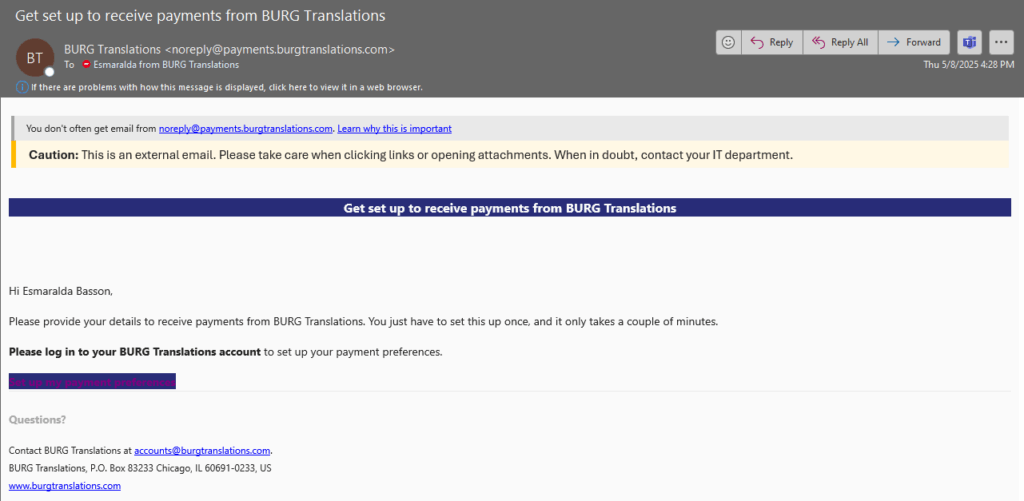
- Click on the link and fill in your email address.
- Click on “Send Verification Code”.
- Check your email for the Verification code.
- Validate the Code.
Check your junk folder if you have not received the email. - It should look like this:
- Click on “Add Payout Method”.
- Fill in your General Information and click next.
- Select Payout Method and fill in the required information:
- For Bank Transfer:
- 5–6 Business Days to process.
- Click on “Add” once completed.
- Click on “Submit a Tax Form”.
- Select if you are a U.S. Person or not.
- For U.S. People:
You will need to submit a W-9. - For Non-U.S. People:
- Indicate if you are an individual or corporation.
- Fill in the W-8BEN-E Substitute Form and click on certify.
- The Foreign TAX ID is optional:
- If the person is not doing work IN the U.S. and attests that they are a non-U.S. person, you do not need a foreign Tax ID.
- Click on “I will not or am unable to provide a Tax ID Number”.
- Make sure that all information in the next question is relevant to you and click continue.
- Select how you want to receive your tax statements.
- Click on “Done”.


FAQ:
If you want to receive money in USD currency, please advise the following:
- Is the USD currency with a local bank in your local country? Or is the USD currency a US Bank account based in the US?